Kamis, 14 Desember 2017

Download Free Android Dump Tool- Android ROM Dumper Version v 1.3.5

Hi visitors, the topic which I am going explain here today will certainly help you and enhance your knowledge experience about exploring of your android phones. This is a very interesting subject and it is hoped that you will thoroughly read the topic so that you would be able to build a knowledge and create an image of stock ROM firmware files of any android smart phone.
By studying the post you would also be able to collect all those files into a single file so that those firmware files could easily be installed in your mobile phone by using Odin  downloader. For this purpose, you can download android dump tool from the official download link shared below and then install it on your computer so that an image or copy of same firmware files could be created which your are interested to install on your android smart phone.

Why the latest Firmware files with latest features?

Most of us want to use latest and updated firmware with latest features on our mobiles. Some mobile users go through the whole process of downloading and installing the latest firmware files  into their mobiles just to get the latest features in their mobiles ever their mobile's firmware is working properly. 
Sometimes, you observe some stock firmware files on a friend's mobile and you love the features of that phone, you want to install those files into your android smart phone, but you don't find any official link to download those files. 
In such a situation, it is the better way to fetch those firmware files and install them on your mobile phone with the help of Odin software.

How to use android dump tool?

First of all;

  • Download the tool from the official download link shared below. At this stage you can see the link because you are at the mid point of this page. Scroll down the page and then you will be able to see the link. 
  • Install this tool on your mobile phone.
  • Connect the other phone in which you want to copy this tool.
  • After connecting the other phone of interest, open the tool and click on the image and at the same time, click on the Read Data Option icon. 
  • When the reading of the files is completed, click on "make a Samsung ROM", at the same time, the phone will ask you to provide the file name and its location. Provide the name and destination of file and click on the dump file option.
  • After putting file name and its location, your mobile will start to create this image of Samsung mobile phone ROM.
  • When file creating process is completed, download the Odin software 
  • By using Odin software you will be able to install those created ROM files into your mobile phone.
  • Install those ROM files on your mobile phone ROM, install those stock ROM files, 
  • Now you can have the same features and functioned mobile phone.
For your data safety, it is suggested you to take a backup of your important mobile data before installing these firmware files on your android smart phone, otherwise any wrong step would lead you to a dead or bricked phone. By using this magic tool, you can check whether your phone has been rooted correctly or not. These is free tool to download and you don't need to pay anything for the services, Install this unique, updated and latest tool on your mobile phone freely and without any payment. 
Follow all the steps as mentioned above and do these steps very carefully otherwise, we will not responsible for any wrong step and no burden would be upon our shoulders. 
Reset your mobile phone and via ADB and lots more. You can also check the root status with the help of android dump tool. 
To get this amazing and magic tool, the main task for you is to just tap the download link shared below and get the latest and updated version of Android Dump Tool- Android ROM Dumper Version v 1.3.5. In case the download link is not working or showing any errors, please contact us through your feedback in the comments section. Your comments would highly be appreciated and regarded. 

Senin, 11 Desember 2017

Motorola Service Tool v2.5.0 Latest Setup Free Download

 motorola-service-tool
Motorola is one of the best smartphone brands and if you own one of its phones especially the Droid series, you definitely have one of the best smartphones. One of the tools which you are going to need is the Moto Service Tool which is required to do different flashing and ROM stuff for your phone. This service tool is important because it is designed in a way that it solves most of the problems which you might face while using different phones from the Motorola company. In case of any errors and bugs in the software or issues caused by the hardware, you can always a tool like this to solve those problems. There are rarely any problems which you can name and this Moto Service Tool won't be able to solve it. Getting this tool is quite easy as well. All you need to do to get this software is to click the free download link given at the end of this and get the free driver files for you.

This service tool is important because it is designed in a way that it solves most of the problems which you might face while using different phones from the Motorola company. In case of any errors and bugs in the software or issues caused by the hardware, you can always a tool like this to solve those problems. This tool is compatible with all the versions of Microsoft Windows and other operating software. Also, it is quite easy to use. In order to use this, you will need to connect your Motorola smartphone to your computer while making sure that Moto Service Tool is installed on your computer as well.

For this, you will need to get a data cable so that you can connect your phone to the computer. Also, get the free Moto Service Tool from our website by clicking the free download link given at the end of this article and then install the software. The software is quite easy to use and there are easy options for the stuff you need to do. So what are you waiting for? Get the free Moto Service Tool right now from our website and do what you need to. Keep visiting our website for more free drivers and other software.
Download (Setup)

Kamis, 07 Desember 2017

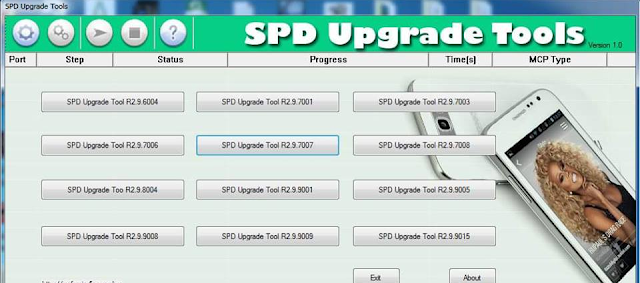
SPD Latest Flash Upgrade Tool Setup Free Download

 spd-flash-tool
Are you one of the people who use MTK based Android smartphones? Well, if you are then today we have come up with something which you really need. Most of the people who use MTK based phones come across the issue of tools which are rarely available. They need to do different stuff such as flashing the stock ROM and the custom recovery of your phone when you need to do so. Well, there are many tools built for the purpose however, they are rarely any tools which are better than SPD Flash Tool. If you had problems finding this software then you are just at the right spot to get it. Today, we are going to give you the free SPD Flash Tool for your MTK based Android phones.

This SPD Flash Tool software which we are bringing to your MTK based phones is definitely the best in the store. The software ensures that you do all the stuff such as the flashing of the stock ROM and the custom recovery of the phone quite accurately. Also, what's great is that this tool is absolutely free for you to get. There is no need of worrying about paying any money for it. All you need to do is to click the free download link given at the end of this article and then download the SPD Flash Tool files for yourself.

With this tool, you get yourself in for the real treat because anything that you want to do with your MTK based Android phone can be done. The most important functions such as the custom recovery of the phone and the flashing of the stock ROM have been made pretty easier with this one. There is no complexity behind downloading and use it. The software is compatible with all the versions of Microsoft Windows you have. So to get it, click the free download link given at the end of this article and get the driver files for yourself.
Download (Setup)

Rabu, 06 Desember 2017

FRP Hijacker Version 1.0 By Hagard 2017 All Samsung Full Setup Free Download

In mobile market, there are used mobiles of different models and companies normally are available for sale at reasonably low prices. No doubt, these mobiles are in good working and looking conditions. Among them, some mobile brands are also available in re-furbished conditions. Some of these mobiles are available in FRP enabled conditions while some of them in FRP unlocked condition. 
Similarly, used tablets of different models and brands are also available in mobile market for sale. I am going to tell my own story in this page for the information of our valued visitors. Last year, I bought a used table of Apple company. The tablet was in a very good condition and the shopkeeper was selling this device at a very low price. I didn't think more and keeping the low price against the good working and looking condition, I paid the said amount and brought the tablet at home. Its screen was of 10 inch having a 64 GB internal memory.

I used this tablet for two years. It was working very well. One day it asked to update the software and I allowed to do the job. After automatically updating the software, the tablet asked me to provide my Google account!
I provided my Google account but un-luckily, the tablet didn't accept my account. I tried my best to insert my Google account but all in vain. Actually, it was FRP enabled by its old owner. I contacted with the shopkeeper and he said that he doesn't know the old owner. My good working table went to garbage because I could not provide the Google account of its old owner. 
On the consultation of the concerned shopkeeper, in contacted with some of mobile software installers, but they refused to unlock the FRP enabled tablet by justifying that in case of unlocking FRP enabled tablet, a case may be registered against them by APPLE Company for this illegal activity!
Now, coming to the actual point, If you are one of the user of Samsung android smart phone and secondly, if you are using a used mobile phone with enabled FRP lock, then you will take keen interest in reading this whole post. I would try my best to explore the features of this FRP Hijacker version 1.0 by Hagard tool which will help you to remove your mobile's enabled FRP lock instantly. 
First, it is important to know that why you have your mobile with enabled FRP locked?
It may be possible that sometimes you buy a mobile phone, an old one and the user factory reset the mobile phone with FRP enable. You would not be able to use your mobile unless and until you know those details. If you know the old user, then you can request to provide the details of Google account otherwise your mobile would go to the garbage if you don't know other option to unlock your mobile's FRP lock.
FRP Hijacker version 1.0 by Hagard is ready to solve your issue. You can use this magic tool to unlock the FRP lock of your mobile phone by just tapping your single finger. The lock would be removed instantly and now you can use your mobile by setting your own Google account and can use the mobile as per your accord.
How to use FRP Hijacker by Hagard.
Downloading and installing of FRP Hijacker by Hagard is very simple and easy. Just follow the following steps, keeping every step in mind. First;

  • Download and install this tool on your PC.
  • Download Samsung USB drivers for your mobile
  • Without proper engagement of your mobile phone with your PC, it is suggested and recommended to install USB drivers on your phone. USB drivers will be available in the USB driver portion. 
  •  Launch the tool which is going to remove FRP lock of your phone. 
  • Connect your phone with your PC via data cable.
  • The mobile phone should be at the step from where it will ask you to provide previous Goggle account detail. 
  • After connecting your phone, you should search the mobile phone model and in the Windows and  the port. Go to the device manager of your computer where you will find the port, Like device manager, USB driver>properties>port, and see the port details, to put those details on the given Windows, press scan button.
  • After pressing the scan button, the tool will start updating the software and collecting the data.
  • Press "Remove FRP button" and the software will start updating, removing FRP lock of your phone
Now, you can use your phone, reset the phone with factory reset data and use all other details.
Brilliant Features of FRP Hijacker by Hagard

  • It is totally free of cost tool and nothing is paid to the developers
  • This magic tool can be used for any android phone, specially for Samsung Family
  • One click tool for removing of FRP lock
  • It is and will be user-friendly interface
To get the latest and updated FRP Hijacker Version 1.0 by Hagard, Just go to the Official link shared below and tap the button to download this unique too. Hoping the download link to working well otherwise please comment in comment box for any type of issue or error. Your comments would highly be appreciated and regarded. 

Selasa, 05 Desember 2017

Miracle Box Advanced Android Tool V1.2 And USB Driver Free Download

Many of getting these amazing Chinese Android phones, however, due to the different reasons, we cannot get the problems solutions to serve our needs of dealing with the firmware and other services which we require for these phones. Well, if you were facing issues such as these, you should no longer concern yourself with that because the Miracle Box is that miraculous device which has solved all of such issues for the users. This really is a device all of us would love to use for our Chinese Android Phones and if you are one of its users and looking for the right driver for your Miracle box, you are just at the right spot to get it. Today, we will provide you with the free Miracle Box Advanced Android Tool And USB Driver so that you can install it for your box and enjoy all of its services freely.
 miracle-box-advanced-android-tool-and-usb-driver

Also, you do not need to pay or go through any offer for this because the driver is absolutely free to download so you will be getting it for absolutely free. All you need to do for this is to go at the end of this article and download the free driver files by clicking the link given. You cannot get this as simple and free as this.

For those who are wondering about the compatibility, you should know that this driver is compatible with all the versions of Microsoft Windows so all you need to do is to grab and use it. The driver promises the best performance for your Miracle Box Advanced Android Tool And USB so stop making fool of yourself with the other drivers and get the best version of it.

For now, this is all we wanted to bring about this Miracle Box Advanced Android Tool And USB Driver. If you want to learn how to install it, you can check our other guides for that purpose. Now if you are done reading the post, just click the free link given at the end of this article and get the free Miracle Box Advanced Android Tool And USB Driver files for yourself. Keep visiting our website for more free drivers and computer software.
Download (Setup)
Download (USB Driver)

YU USB Driver For All Models Free Download

Hi visitors! Before going to describe the brilliant features of YU USB Driver for all models, I would like to take some time and try to explore about who is the maker of YU android smart phones? YU Yureka is an android based cyanogen smart phone produced by YU Televentures, a subsidiary Company of Micromax Informatics Pvt Limited. 
India's largest smart phone maker launched this sub-brand  in January 2015. This was the shortest introduction of YU smart phone. In simple words, it is an Indian made android smart phone. At initial stage, the brand was sold on a reasonably low price and with popularity of the device around the Globe, it has made its market among its customers and now the phone is costly in price.
Now, coming to the point, If you are one of the user of YU android smart phone and tablet and you are in trouble to find out something about your mobile but still you have nothing to connect your YU android smart phone with your personnel computer. Here is good news for you that you have selected the right path and right place. In other words, you have landed at right location.

From this location and landed page, you can download YU USB driver for your android smart phone and tablet. Click on the official link shared below and get the latest version of YU USB driver and communicate with your android smart phone. Most new users of android smart phones don't know the importance of USB driver.
For the understanding of new android phone users, USB drive is a the most important part of your android smart phone. Without USB driver, you can't share your data with your personnel computer in anyway. Now, before doing anything with your mobile, first you will have to install this USB driver on your personnel computer if you want to share your mobile data with your computer.
To communicate with your computer through your mobile, first of all;

  • Download YU USB driver from the link shared below and then unzip the folder and double click on setup file.
  • Allow the permission for installation of this driver.
  • After installation of USB driver, you will be able to connect your android smart phone with your PC.
  • Activate or enable USB debugging in your YU android smart phone
  • Connect your YU android smart phone with your PC through data cable. Remember that without data cable, you can't connect your device with your PC.

Significance of YU USB Driver

As we know that USB driver and PC suite are important parts of android smart phones to connect with PC. Although, there is already an MTP protocol which helps connect computer with phones and tablets, but sometimes, it shows unknown errors and in that case, this USB tool will help you a lot in communication of your android smart phone with your PC. 
It makes strong connection between PC and mobile device and transfer of mobile data will become easier and faster. Audios, Videos, songs, clips, documents and any other type of data would easily be transferred from computer to mobile phone and vise a versa. Data can easily be synchronized to make internet life easier and faster. 
You can send SMS to your contacts using your computer without using your android smart phone after syschronization of your data. You can flash your android smart phone via YU USB driver, allow the latest updates to install on your mobile. You can easily and fastly root your android smart phone using this magic tool. By using this tool, you can create a backup of data without a single hurdle. Just tap the backup button and enjoy the backup of the files.
Now, transfer of large and big file will be no problem for you by installing this unique tool. The main job for you to do is, just tap the button in the download link shared below, at the end of this page and get the YU USB driver. In case of any trouble in following any step while downloading and installing this amazing tool, please comment in commenting box. Your comments would highly be appreciated and regarded.
Name of Model                                         Driver Type                     Download Driver
YU Unicorn YU 5530 USB Driver                        CDC, VCOM, General              Download: CDC-VCOM-ADB                     
YU Yunique YU 4111 USB Driver                        Qualcomm, General                    Download: Qualcomm-ADB

YU Yunique Plus YU 4711 USB Driver                Qualcomm, General                    Download: Qualcomm-ADB

YU Yuphoria YU 5010 USB Driver                      Qualcomm, General                     Download: Qualcomm-ADB

YU Yuphoria YU 5010A USB Driver                   QPST, General                             Download: Qualcomm-ADB

YU Yureka AO5510 USB Driver                          Coolpad, General                                        Download 

YU Yureka Note YU 6000 USB Driver                CDC, VCOM, General                 Download: CDC-VCOM-ADB

YU Yureka Plus YU 5510 USB Driver                 Coolpad, General                                            Download

YU Yureka Plus YU 5510A USB Driver              Coolpad, General                                            Download

YU Yureka 5 YU 5200 USB Driver                      Cualcomm, General                                        Download

YU Yutopia YU 5050 USB Driver                        Coolpad, General                                            Download 


    Senin, 04 Desember 2017

    Android Tools Collection 2017(All in One FRP Unlock/IMEI Tool) Free Download

    Hi visitors! I always try my best to share with you the latest, updated and well working android mobile tools for your android smart phones so that our visitors may update their android smart phones with latest and updated software. Android Tools collection 2017 is an amazing tool having unlimited working features and functions. In other words, it is a mind blowing tool and for the time being, it is difficult to pin down all the features of this magic tool. In addition, it is also impossible to elaborate every feature of this unique tool, however, some of the famous and top rated features would be highlighted here for our valued visitors.
    • Name of the tool is, Android Tools collection 2017(All in One FRP Unlock/IMEI Tool)
    • There are Seventeen tools in one place
    • It is just like a shop of tools having almost every feature.
    • You can fix every problem by using this magic tool which you may surely going to face in your android device. 
      • Use of this amazing tool is pretty easy and simple, you will use it like what you had used other tools. For example you can connect your mobile phone directly or you can get to know the basic information, hardware, software information and much more. 

      Features of Android Collection Tools 2017

      As it has been highlighted above that this magic tool has a lot of brilliant features with easy to operate options means no any kind of special skills are needed to use this magic tool. You can avail all these features by just downloading it on your PC, installing on your PC and connecting your android mobile phone with your personnel computer. 
      You can remove the Factory Reset Protection(FRP) lock of any mobile phone. You may know the problem when you get locked by FRP lock, so any mobile phone whether it is a Nokia, Samsung, Xiaomi, Qualcumm or Oppo mobile phone, can be unlocked by using this unique tool. 
      To remove the FRP unlock, just connect your android mobile phone with your PC and if you don't know how to unlock the FRP unlock, you can read at this website. For the website, free download official download link is shared below at the end of this page. At this stage, you can't see the download link because you are at the middle of the page. Just scroll down the page and you will be able to see the download link. 
      By using this wonderful tool, you can also change the IMEI number of your mobile phone and you may know that this latest tool has special features in changing the IMEI number of the phone. 


      Download Android Tools Collection 2017