Sabtu, 30 Desember 2017

Pangu FRP Bypass Tool 2018 Free Download

 pangu-frp-bypass-tool
Pangu FRP Bypass tool latest setup files free download now from the version 2018. Before this version, there were 2017 is being posted. The tool needs when you are looking to unlock your mobile device account. You have to use the login information to get a successful login.
There were the instructions to remove your bypass by Pangu FRP updated version 2018. It just needs the Google account to get access to your locked mobile phone device. Now, you can unlock your phone with the FRP bypass APK. This is the best solution to take a chance to unlock your device. This solution is working on most of Samsung mobile phone devices.

You have must keep it in your mind. The application is working on several Android software versions i.e Marshmallow, Nought, and Lollipop. You can use this application on your other Android devices also. 

The application is available for Android devices and is working properly on there. You can download the application form below and is in less MB data size. So, you can download it easily without any risk. Thanks for visiting our site again. Keep coming and download more software files for free.
Download (Here)

Setool Box 3 Latest Version V 1. 1407 Full Installer with Drivers Free Download For WindowsFull Installer with Drivers Free Download For Windows

Today, I am going to explore the brilliant significant features of Setool Box 3 Latest Version V 1.1407 full installer with its Drivers. It is the unique tool which helps you update or flash your mobile. This unique tool was first released in 2015 and uploaded by its developers and they update the old version time by time as per requirement. 
The question is why we need to reboot or flash our mobiles? Flashing of an android smart phone is carried out when there are software issues are felt in the mobile, like; when its camera doesn't respond and you can't take pictures or when your mobile shows low memory space even, there is enough space in its internal memory or in some times, your mobile starts and re-starts by itself without getting any prior permission from you or, sometimes, its battery discharges at fast pace. Although the technical experts sitting in mobile market claim of repairing of the batteries but actually they just experts of taking money out of your pocket.  
The reason of fast discharging of the battery is that most android phone users use their mobiles for net surfing and net browsing. During net surfing, most mobile users carelessly enable unknown extension links without knowing their drawbacks.
Later on, during net surfing, unwanted stuff is downloaded through these extension links and stored in its internal memory and these stuff needs power from battery and that's why the system needs more power from the battery to keep this stuff in active condition and hence battery discharges quickly. 

If you analyze the errors and bugs as described above, it would be clear to you that the operating system of your mobile has been corrupted and that's why your android smart phone is malfunctioning To cope with these issues, as highlighted above, you have to download an updated version of the firmware flash file setup from a trustable official download link so that you could re-flash your mobile to remove these bugs and errors. 
Since, from its launching, this amazing too is getting popular in mobile market by virtue of its brilliant features. This setup supports almost all kind of mobile brands to flash at any moment like, corrupted, damage, slow working and update firmware etc.By using this unique tool, you can perform any activity with the help of your own PC. This tool is also popular in mobile market as Engineer's tool box. It performs many different functions, like reset the phone, flash hardreset and factory reset and repair mobile phone. 

Brilliant features 

Some of the brilliant features of Setool Box 3 are listed here in the flowing lines;
  • By using this unique tool, you can update your mobile's firmware to the latest version.
  • You can install custom firmware
  • Your android smart phone can be reset quickly and easily
  • Your mobile will perform better after flashing with updated flash files
  • Pattern lock can be removed by a single step
  • You can repair your mobile's firmware with the help of this setup.
For more information about this latest tool, go to the download link shared below and visit its official site. It supports all Windows version operating systems. You can perform all functions when once you install Setool Box on your PC Windows.

Supported Windows Versions;

  • Windows XP, 32- bit and 64 - bit
  • Windows Vista 32 - bit and 64 - bit
  • Windows 7, 32 - bit and 64 - bit
  • Windows 8, 32 - bit and 64 - bit
  • Windows 8.1, 32 - bit and 64 - bit
  • Windows 10, 32 - bit and 64 - bit

How to download Setool Box 3 set up

  • First of all, download Setool Box 3 Latest Version V 1.1407 full installer from the official download link shared below at the end of this page and get the file.
  • Follow by clicking on the download link and get the latest setup of this unique tool.
  • Click to install in on your PC
  • After the setup fully installed on your PC, download its USB Drivers
  • Follow the download link shared below and get full supported USB driver and install it on your PC.
  • After successful installation of Setoll box 3 setup and driver, then launch Setool Box 3 on your PC.
  • Connect your mobile which you want to update or re-flash with your PC through data cable. 
  • Start working and trace out the faults of your mobile by following the instruction. 

Keywords for searching the Setool Box 3

  • Setool Box 3 Full Setup download
  • Setool Box Windows download
  • Setool Box Setup Latest Version
  • Setool Latest setup 2017
  • Setool Box Crack
  • Setool Box Driver
  • Setool Box Latest Version 2017 download
  • Download Setool Box for Windows 7
  • Setool Box Supports Setup download
  • Setool Box Setup with drivers download

General Detail of Setool Box 3 Setup

  • Name; Setool Box 3
  • Version; V1.1407
  • License; Freeware
  • Support: All Windows Operating Systems
  • Category; Tool/Box
  • Developer; Setool Team
  • Language; Multi languages
If the link is outdated, not working or shows errors, Please contact us via comments in the commenting section. We will change the link or update it.
Download: Setool Box Latest Setup

Download: Setool Box Serial Port Driver

Jumat, 29 Desember 2017

Qualcomm Smartphone Write/Repair IMEI Tool v1.01 Free Download

 qualcomm-smartphone-write-repair-imei-tool-v1.01-download
Qualcomm Smartphone Write/Repair IMEI Tool v1.01 Free Download now for your PC windows OS. The time is on your hand to change your device IMEI number without facing difficulties on the go. This tool is launched in the market since days ago and now available also on our site.

You are about to Qualcomm Smartphone Write/Repair IMEI Tool v1.01 Free Download for your computer Windows and is being ready at the bottom of this page to download. This is the free service which is helping us to change the IMEI numbers and also to repair your IMEI of the Qualcomm smartphone devices.

The easiest and the secure way to repair or write new IMEI number on your device system. You are not be forced to install the software on your computer. Just have to download the setup and then click to launch the software to start managing your system quickly. The tool is supporting on only some of the Qualcomm devices and is not be able to change your IMEI number on every device. Simply download the software setup is given below by just using the downloading link location URL. It's free and protected from the dangerous threats. Keep visiting our site to download more.
Download (Setup)

Rabu, 27 Desember 2017

Miracle Box Full Setup Latest Version V 2.64 Crack With Driver Free Download

Hi guys, different android smart phones of different models and brands and of different manufacturing companies have different software issues. In addition to this, different android smart phones have different operating systems too.
Now, most of our visitors may don't know what an operating system is? Operating system is what upon which a device has to do work as per demand. Since, majority of the mobile users use their mobiles for net surfing and browsing. Today, in mobile market, large sized mobiles are available reasonably at low prices. These mobiles do work in place of tablet or laptop and also they have large internal memory space for making videos. 
Every mobile has software issues after using for reasonably a long period. These issues may be of different types and nature depending upon the operating system of the mobiles. In spite of having different operating systems, all mobiles show, at least the same problems, like; in some mobiles, the camera doesn't work and the user can't take a single snap of his or her interest, in some mobiles, the mobiles show low memory space, even there is enough memory space, in some other mobiles, the mobile starts and restarts by itself without asking any permission from the owner.


In such a situation, most users don't know these unknown issues which occur due to unknown reasons. They try themselves to rectify these issue but having no known solution in hand they can't cope with these issues. Some of the users become disappointed from their mobiles and sell them on low prices in form of used mobiles and in this way they waste a hand some money which they have spent on buying these mobiles at initial stage.
In either way these defective users consult with technical experts in market. I would like to tell my visitors that the technical experts have nothing in hand or no practical knowledge to tackle the issue rather they have collected different mobile tools and firmware flash files to re-flash or update the mobiles of whose the operating system has become corrupted.
Wwhen these defective mobile users contact those technical experts, they know the problem just looking the defective mobile. They take the mobile by giving some time to wait and meanwhile they reboot or update the mobile.
They just connect the defective mobile with their PC and update or flash your mobile's software with the updated and latest updated flash files which they have collected from the internet. For doing this simple job the service provider or technical experts get money from your for doing nothing merely they will have updated or flashed your mobile's operating system.
If you know the real issue with your mobile, then it is easy to rectify the issue by just re-flashing or updating your mobile with latest and updated version of firmware flash files. These firmware flashing files are available in internet free of cost. The general user most mobile users don't know from where these tools can be downloaded.
For such disappointed mobile users, these page with official download link for downloading the latest and up dated version of Miracle Box Full Setup Latest Version V 2.64  Crack With Driver is here to help you in resolving your mobile issues.
Download and install Miracle box latest setup on your Windows PC. For those android smart phone users who don't know the basics of flashing of a mobile phone, flashing of a mobile phone may be a breathtaking phenomenon because after successful flashing of your mobile, it will restore in its default settings and all of your precious data, saved on internal memory would be deleted completely and it would be very difficult for you to recover the deleted data, if you haven't taken a backup of your data before flashing your mobile.
Although, flashing of a mobile is not an easy job as its draw backs are listed above, but with the help of this Miracle box, it will become so easy. This application is just like a one stop shop and it will give solution of any of your problems. It is suggested to add this tool to your tool kit and this application would not harm you in need. The user-friendly interface would attract you to download and install this tool. You have no need to go any where, to spend your hard earned money on such tasks. You would do all by yourself by using this magnificent tool , named Miracle box.
The main and simple task for you to do is just go to the link shared below and get the latest and updated version of  Miracle Box Full Setup Latest Version V 2.64  Crack With Driver. The official link shared below is well working and free of dangerous viruses. If the link is showing errors while downloading, then please contact us via your comments in comment section. Your comments would highly be appreciated and prompted.

Download: Miracle Box Latest Setup
Download: Miracle Box Driver Installation

Selasa, 26 Desember 2017

UFS3 HWK Sarasoft Box USB Driver Free Download

 ufs3-hwk-sarasoft-usb-driver
UFS3 is the flashing box and is using the peoples to flash the mobile phone devices. You know that this is the place of downloads and there we are sharing the every mobile phone solution with you. Today is the again we are here and we are providing the latest UFS flashing box USB driver to download for your Windows OS.

To flash your devices. First, you must have to download the updated UFS3 Sarasoft USB driver from the give downloading link location URL below. It is the free and protected from the dangerous threats. Just download it and use the downloaded setup to install the file on your system Windows. To connect your UFS3 flashing box to the computer system. Your system will need the driver's updated setup files to be installed on it. Don't worry about it. The updated driver is being provided at the bottom of this page to download for your supporting Windows OS.

Now, read the installation and the connectivity guides of your UFS3 box in below few steps.

  • Download the required driver from the given downloading link location URL below.
  • Install it by using the setup file.
  • Then restart your system Windows OS.
  • Connect your UFS to the computer.
  • Now, it will be connected.
  • You can use it properly to flash your devices.
  • You have done.
So, download the USB driver from the available source below. Thanks for choosing our site to download the driver setup.

Download (Setup)

Senin, 25 Desember 2017

Nokia 215 RM-1110 Bin Flash File Free Download

 nokia-215-rm-1110-bin-flash-file
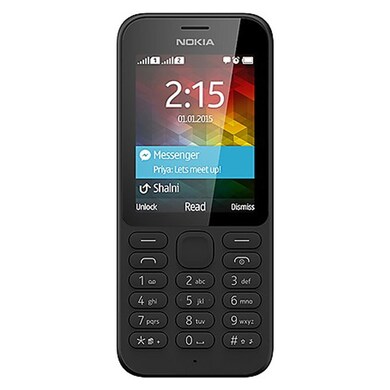
Nokia 215 is the perfect and fastest running smartphone is developed by the Nokia corporation since a year ago. People are using these mobile phones to work daily. The devices have the features and are slim to use easily. It will never confuse you in future by it's working performance. Whenever you will face difficulties in running your device. If your device is going to slow or it hangs to load pages.

Then your phone software needs to upgrade the features. You also know to update your device software. The upgrading keys are being written below in the steps. You must have to read them carefully. You have to flash your phone software by just connecting your device to the computer Windows OS. Before the download, read the flashing guides below.


  • First of all, download the updated Flash files on your Nokia 215 RM-1110 from the given downloading link location URL below.
  • Then put it on your Flashing box or a tool.
  • Connect your device via using the USB data cable.
  • Now, you can install the flash files easily on your device.
  • You are done.
Download the Nokia 215 RM-1110 flash files from the given downloaded link location URL below. It's free and protected from the viruses.

Download (Flash Files)

Minggu, 24 Desember 2017

Nokia 130 Dual Sim USB Driver Free Download

 nokia-130-latest-usb-driver
Nokia 130 updated USB driver free download now. This is the driver downloading place and from this page. You can download the latest Nokia 130 dual sim updated USB driver for your computer Windows operating system.

You know that, whenever your device will going slow or you new to update your phone features to latest version. Then you must have to install the updated available USB driver from the given downloading link location URL below. It's free and protected from the dangerous threats. Get the connectivity best solution for your Windows to connect your Nokia 130 dual sim mobile phone via using the compatible USB data cable.

You can do your works by just connecting your device to the computer Windows. Install the required mobile Nokia 130 USB driver on your PC windows and then connect your device to create a successful connection. You are about to download the latest USB driver in this post. To get the latest Universal serial bus driver for your system Windows OS. Just follow the link location URL below and your download will start immediately.

The installation guidelines of the USB driver are given below. Read them and get more connectivity solutions to install the driver software successfully.

  • Download the latest USB driver from the given downloading link location URL below.
  • Install the USB driver by using the .exe file.
  • Then reboot your system.
  • Your settings will be managed after restarting your system Windows.
  • Must use the compatible USB data cable.
  • You have done your job.
To download the latest USB driver for your computer Windows OS. Follow the link location URL below.

Download (Setup)